
Editing happens on the phone
Captions, silence cuts, looks and exports are rendered on your iPhone. Every plan includes every tool, with no editing credits to buy.
GOOD THOUGHTS. YOUR VOICE.
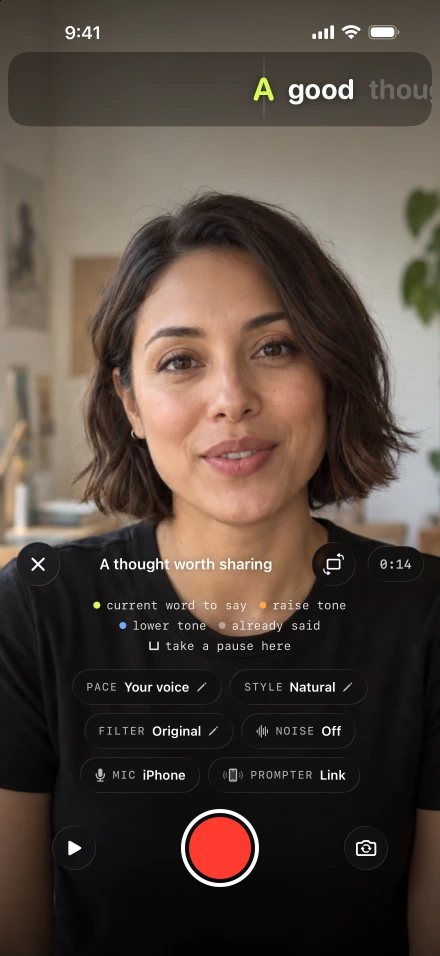
Write what you want to say and read it at the lens. The script moves as you speak and waits when you pause. Stumble on a line and you redo that sentence, not the whole take. Then one tap cuts the silences and adds captions, ready to edit, reshape and post from the same iPhone.
Needs iOS 26.5 or later and a paid plan. Voice-following works in the speech languages your iPhone supports.
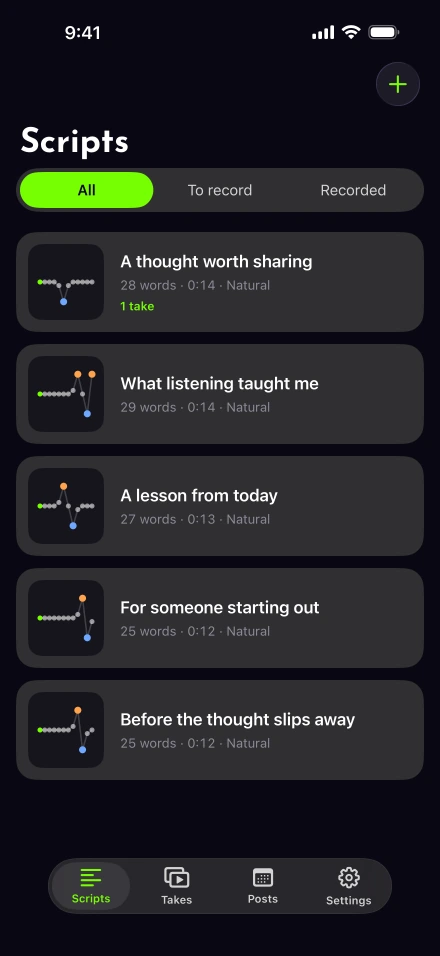
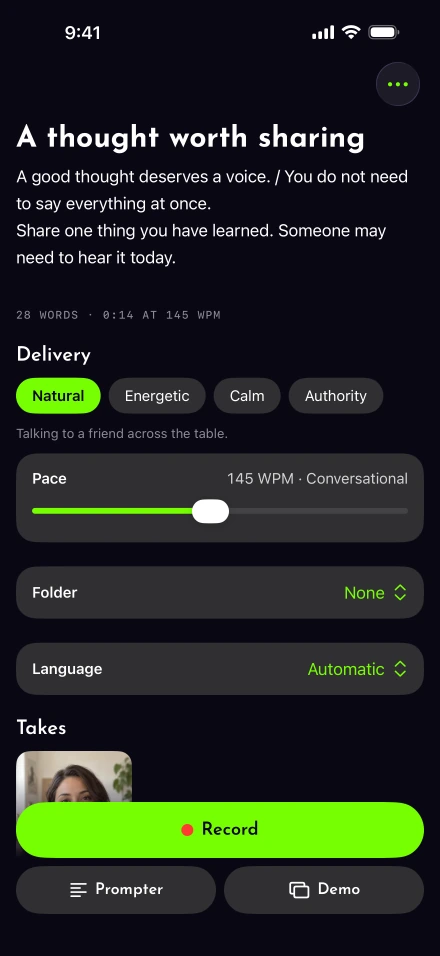
Room for another go
Keep the opening you like. Go back to the sentence that needs another go, then carry on in the same take.

Tap record. The clock stops and the script holds its place. Take a breath before deciding what to replace.
Choose Redo the last sentence. The recording is cut back and the script returns to that sentence.
Check the lit word, then tap record to continue. Finish when you’re ready and Lightshot joins the parts into one take.
If the sentence began in an earlier part, redo removes the whole last part instead.
Prepare the words, read them at the lens and shape the take. The whole workflow is on your iPhone.
01Prepare
Paste your words, import a document or start from a template. Lift, land and breathe cues help you mark the delivery you have in mind. Explore scripts and tone cues.


Lift, land and breathe, marked on the words.
02Record
Your words sit just below the front camera. Voice-follow learns your pace and waits when you pause. You can also choose a fixed scrolling speed.
Use a second iPhone as your prompter, or narrate a screen recording with your face in a bubble. Control the open recorder from your paired Apple Watch.

Your pace. Your pauses. Your point of view.
03Edit
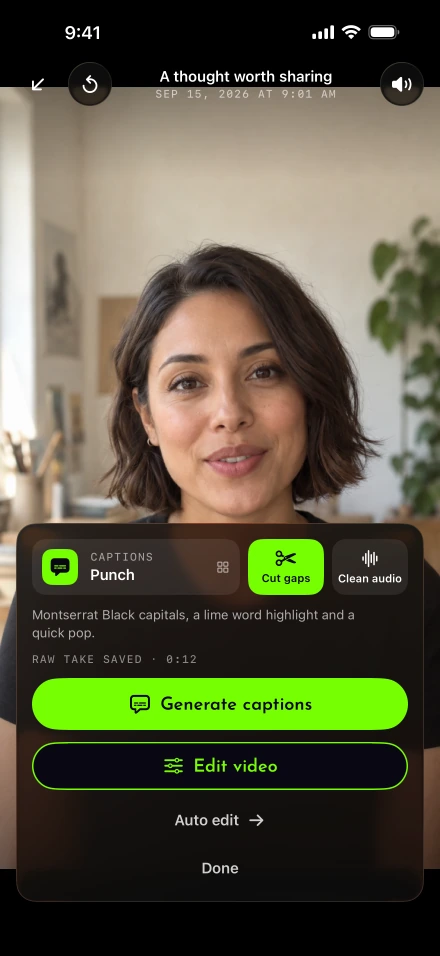
Tap Auto edit for silence cuts and captions. Then adjust the cut, add music or a voice-over, and choose the shape for your video.


Keep the insight. Finish the video.
A real recording
A short explanation about a website redesign, recorded and edited in Lightshot. Play the original, then the finished version. Compare the pauses, the picture and the captions. Turn on sound to hear the difference.
This example brings together silence cuts, background-noise cleaning, styled captions and picture adjustments. Clean audio and silence cutting are separate tools. Review the joins and caption words before you share.
Both clips keep their supplied soundtracks. Use the player controls to pause, seek or go full screen. The shorter duration describes this take; results depend on your recording.
See how silence cutting worksText and optional player captions follow the edited video’s on-screen words. Caption timing on the original is approximate. Visual description: a speaker talks to the camera against a blue wall. The edited version adds highlighted captions and changes the picture’s color and brightness.
You could spend your redesign budget on a homepage your next client never sees.
Someone searching for a motoring solicitor might land straight on that service page. They're worried about their licence. They need to know whether you handle their situation and how to reach you.
That thinking shaped our Scarsdale Solicitors rebuild. Clear routes through the firm services.
So where would you spend first? I'll check where potential clients arrive and what's stopping them enquiring. Before approving a new homepage, open your busiest service page on your phone. Can you find those answers without hunting?
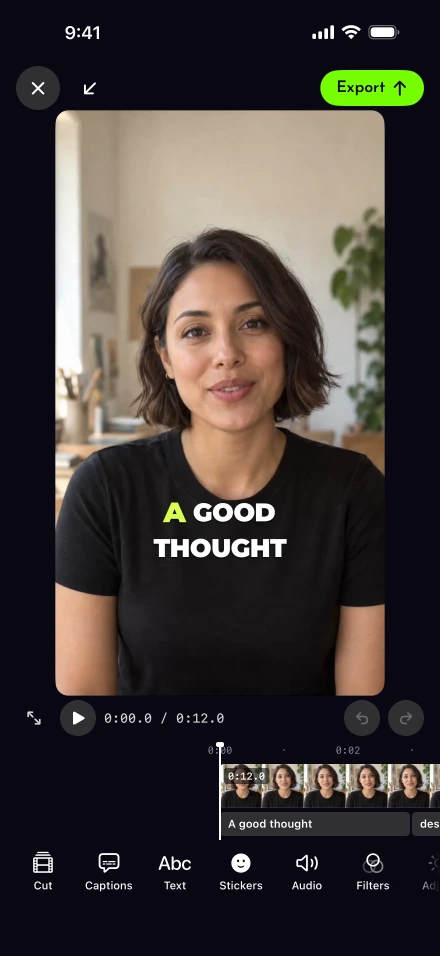
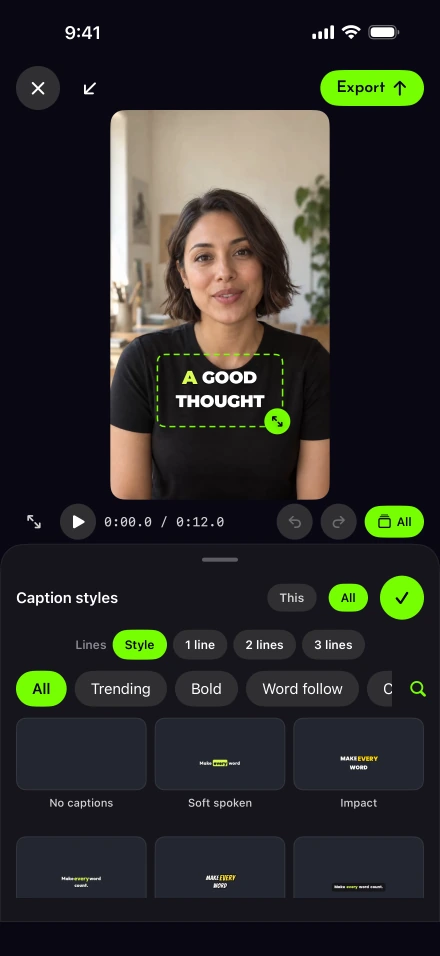
Captions start with what you said. Correct the words, choose from 111 styles and make the details your own. See the caption tools.

An illustration of caption styling, not a screen from the app. Lightshot has 111 styles to choose from and customize.
caption styles.
Each one yours to adjust.
Generate captions after the take with on-device speech recognition, then correct any line with Edit all.
Set the words per caption, size, highlight, outline and shadow, then save the result as a style of your own.
Translate English captions into a language Apple’s Translation framework supports. The timing stays and your voice stays in English.
Captions, silence cuts, looks and exports are rendered on your iPhone. Every plan includes every tool, with no editing credits to buy.
Scripts, takes and edits are stored on your iPhone. A video goes to Lightshot’s server only when you post or schedule it, and it’s deleted as soon as every network has finished with it.
Read the privacy policyRecording parts are saved as you go. A call or leaving the app pauses the take; after an interrupted session, Lightshot can recover the saved parts on the next launch.
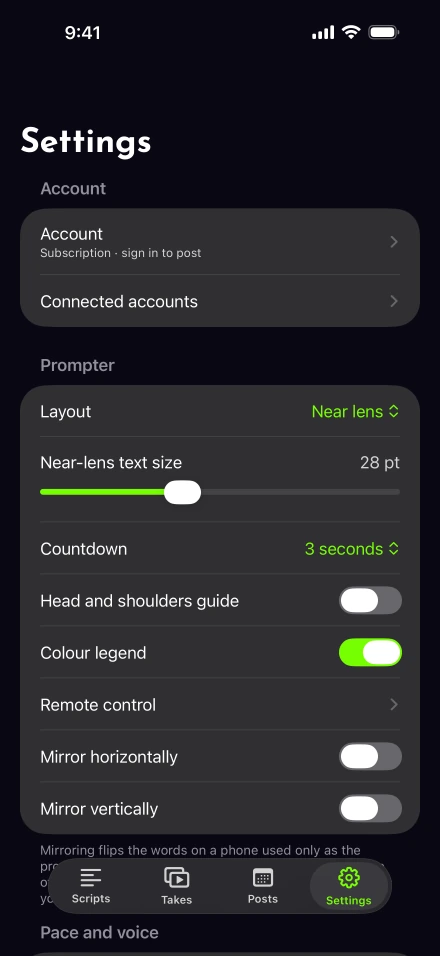
How take recovery worksPost now or schedule to a connected network. Settings › Connected accounts shows what’s available. Account requirements and upload limits vary; TikTok and YouTube posts stay private until each platform’s review of Lightshot passes. Check the connection requirements.
Read the termsMade for iPhone with iOS 26.5 or later. Apple Intelligence tools need a supported iPhone, and 4K or 60 fps recording depends on the front camera.
Start with a guide for the video you have in mind. You can also explore every feature or compare Lightshot with other apps before choosing.
What each tool does, and where it stops.
Step-by-step answers for reading on camera, pacing and posting.
How the same tools fit different people who have to be on camera.
Languages, supported iPhones, billing and getting a take back.
The thought behind Lightshot
The founder knew the feeling: something worth sharing, and a prompter that moved at a pace of its own. Lightshot grew from wanting room to speak, pause and try a sentence again.
The founder describes the Igbo meaning of Lightshot as good thoughts, wisdom and knowledge. A lesson, an explanation or a skill, passed on.
Read the story behind LightshotEvery plan includes the tools to record, finish and share your ideas. Choose weekly, monthly or yearly billing.
The same features in all three plans.
$5.00/month equivalent, billed $59.99 yearly.
Save $59.89 compared with 12 monthly payments.
Subscribe to LightshotA paid subscription is required to use Lightshot.
Charged when you subscribe. No free trial.
Prices are US base prices in US dollars. You subscribe in the Lightshot iPhone app through the App Store, which shows your local price before you buy. Subscriptions renew automatically until you cancel them in your Apple Account settings. Apple’s standard terms of use apply.
You create your Lightshot account with Sign in with Apple when you choose a plan in the app, and your subscription stays with it on every iPhone you sign in on. 4K, Enhance, speech and translation depend on compatible devices, supported languages and available models.
Lightshot is a voice-following teleprompter and video studio for iPhone. You write or import a script, read it from a line under the front camera while it follows your voice, then cut the silences, add captions, edit and post or schedule the video from the same phone.
Lightshot is an iPhone app for iOS 26.5 or later. It is sold as a subscription through Apple’s App Store, and the Get Lightshot buttons on this site show whether the listing is live yet. There is no Android, iPad or web version.
Yes. Lightshot is paid only, with no free plan and no trial. In the app you choose a weekly, monthly or yearly plan, create your Lightshot account with Sign in with Apple, then confirm the payment with Apple. Every plan includes every feature, and the App Store shows your local price before you confirm.
Any iPhone running iOS 26.5 or later. A few tools depend on the model: Mark with Apple Intelligence and Draft it for me need an iPhone with Apple Intelligence, 4K and 60 fps recording depend on the front camera, and voice-following works in the speech languages your iPhone supports.
Yes, when Follow my voice is on, which it is by default. The script keeps moving at the pace it learns from you, corrects itself each time it recognizes a word from the script, and settles on the next unread word after a short silence. If you talk for three seconds without saying a script word, it holds at the next unread word until you’re back on the script. You can switch to auto pace, 60 to 240 words a minute, at any time.
Yes. Tap record to pause, then tap redo: Lightshot cuts back to the start of the sentence you were reading and rewinds the script to it. Tap redo again to go back one more sentence, or delete everything since the last pause. When you finish, the parts are joined into one take.
Scripts, takes and edits are stored on your iPhone. A video goes to Lightshot’s server only when you post or schedule it, and it’s deleted once every network has finished with it, or 48 hours after the latest scheduled time at the most. Access to your social accounts is stored encrypted on the server and never sent to your phone.
Yes. Generate captions after recording, correct any line, then translate them from English into a language Apple’s Translation framework supports. Translated captions keep their timing and appear as whole phrases, your voice stays in English, and you can restore the English captions at any time.
Yes. Record your screen with iOS screen recording first, then choose that recording in Lightshot and read your script while it plays. Your camera appears as a bubble, a split screen or a cutout, and the screen and your camera can be color graded separately.
Settings › Connected accounts lists the networks currently available. Direct integrations are built for Instagram Business or Creator accounts, Facebook Page Reels, your own LinkedIn feed, YouTube and TikTok. Each depends on platform approval and service setup. TikTok and YouTube uploads stay private until the required platform review is complete. Scheduling runs from 10 minutes to 30 days ahead; X and other apps use Share.
Yes. The companion remote needs watchOS 26.0 or later and the paired iPhone nearby with a script’s recorder open. Record or pause, redo a sentence while paused, finish the take, hold the script or step backward and forward. The watch shows the script title and progress; the iPhone does the recording.